-
Now live! Generate even more savings with our Skygate system. Click here to learn more.

On this page
- What Your Solar Inverter Actually Does
- Where to Find Your Inverter Data
- The Three Numbers Every Beginner Must Know
- How to Read Real-Time Generation (kW)
- How to Read Daily, Monthly, and Annual Output (kWh)
- Import, Export, and Self-Consumption (Simply Explained)
- Reading Your Inverter Graphs Step by Step
- What Your Inverter Tells You About Home Usage
- Basic Warning Signs to Watch For
- Speak to Upvolt About Making Your Solar Data Easier to Understand
- FAQ
Solar Monitoring System
17 mins read
Understanding Your Solar Inverter Data: A Beginner’s Guide
21 Feb 2026How to read inverter data correctly and use it to improve solar performance.
Take the first step toward energy independence today.
get a quote
On this page
- What Your Solar Inverter Actually Does
- Where to Find Your Inverter Data
- The Three Numbers Every Beginner Must Know
- How to Read Real-Time Generation (kW)
- How to Read Daily, Monthly, and Annual Output (kWh)
- Import, Export, and Self-Consumption (Simply Explained)
- Reading Your Inverter Graphs Step by Step
- What Your Inverter Tells You About Home Usage
- Basic Warning Signs to Watch For
- Speak to Upvolt About Making Your Solar Data Easier to Understand
- FAQ
Your solar inverter is more than a technical box on the wall. It is the control centre of your entire solar system and the main source of truth about how your panels are performing. If you want to know whether your system is working properly, saving you money, or underperforming, the answers are in your inverter data.
This article explains what your inverter really does, how to read the numbers that matter, how to spot normal patterns versus warning signs, and how to use your data to make smarter energy decisions.

17 min read
On this page
- What Your Solar Inverter Actually Does
- Where to Find Your Inverter Data
- The Three Numbers Every Beginner Must Know
- How to Read Real-Time Generation (kW)
- How to Read Daily, Monthly, and Annual Output (kWh)
- Import, Export, and Self-Consumption (Simply Explained)
- Reading Your Inverter Graphs Step by Step
- What Your Inverter Tells You About Home Usage
- Basic Warning Signs to Watch For
- Speak to Upvolt About Making Your Solar Data Easier to Understand
- FAQ
Key Takeaways
- Your inverter is the brain of your solar system, converting DC to AC power while monitoring performance, safety, and grid interaction.
- kW shows real-time generation, while kWh shows total energy produced and directly impacts your savings.
- Import, export, and self-consumption reveal whether your solar is reducing bills or simply sending power back to the grid.
- Reading inverter graphs helps you distinguish normal weather-related changes from genuine system faults early.
What Your Solar Inverter Actually Does
Your solar panels generate electricity, but without the inverter, that electricity is unusable. The inverter is the control centre that turns solar power into something your home can actually run on, while managing performance, safety, and in many cases battery storage as well.
If panels are the engine of your system, the inverter is the operating system.
Why the Inverter Is the Brain of Your Solar System
Calling the inverter the “brain” is not marketing language. It is technically accurate.
The inverter works as a part of your solar monitoring system. It constantly monitors voltage, current, and system conditions to make sure your panels operate at maximum efficiency. Through Maximum Power Point Tracking (MPPT), it adjusts in real time to changes in sunlight, temperature, and shading to squeeze the highest possible output from your array.
It also:
- Synchronises your solar generation with the UK grid
- Automatically shuts down during power outages for safety (anti-islanding protection)
- Detects faults and performance drops
- Communicates with monitoring platforms and batteries
Without the inverter, your system cannot operate safely or efficiently.
How It Converts DC Into Usable AC Power
Solar panels generate direct current (DC). Your home and the national grid run on alternating current (AC) at 120V or 240V, depending on the circuit.
The inverter performs the conversion from DC to AC instantly and continuously while maintaining voltage stability and grid synchronisation. This is what allows your solar electricity to:
- Power lights and appliances
- Feed into your consumer unit
- Export safely to the grid
- Charge batteries in hybrid systems
In hybrid systems, the inverter also directs surplus energy to battery storage or pulls stored power back into the home when solar production drops.
Why the Inverter Is Your Main Source of Performance Data
If you want to know how your system is performing, the inverter is where that data originates.
Modern inverters track:
- Real-time power output (kW)
- Daily and lifetime generation (kWh)
- System efficiency
- Fault alerts and warnings
Most systems now connect to apps or web portals, allowing you to monitor performance remotely. In hybrid systems, the inverter also reports battery charge levels, import and export behaviour, and self-consumption rates.
In short, your inverter is the primary source of truth for how your solar system is actually performing. And once you know how your solar system performs, you’re able to adjust your usage to ensure maximum savings.
Where to Find Your Inverter Data
Your inverter is the control centre of your solar system, and it records everything your system does. Accessing that data is straightforward once you know where to look. Most systems provide two main access points: the physical inverter display and a monitoring app.
Reading the Physical Inverter Screen
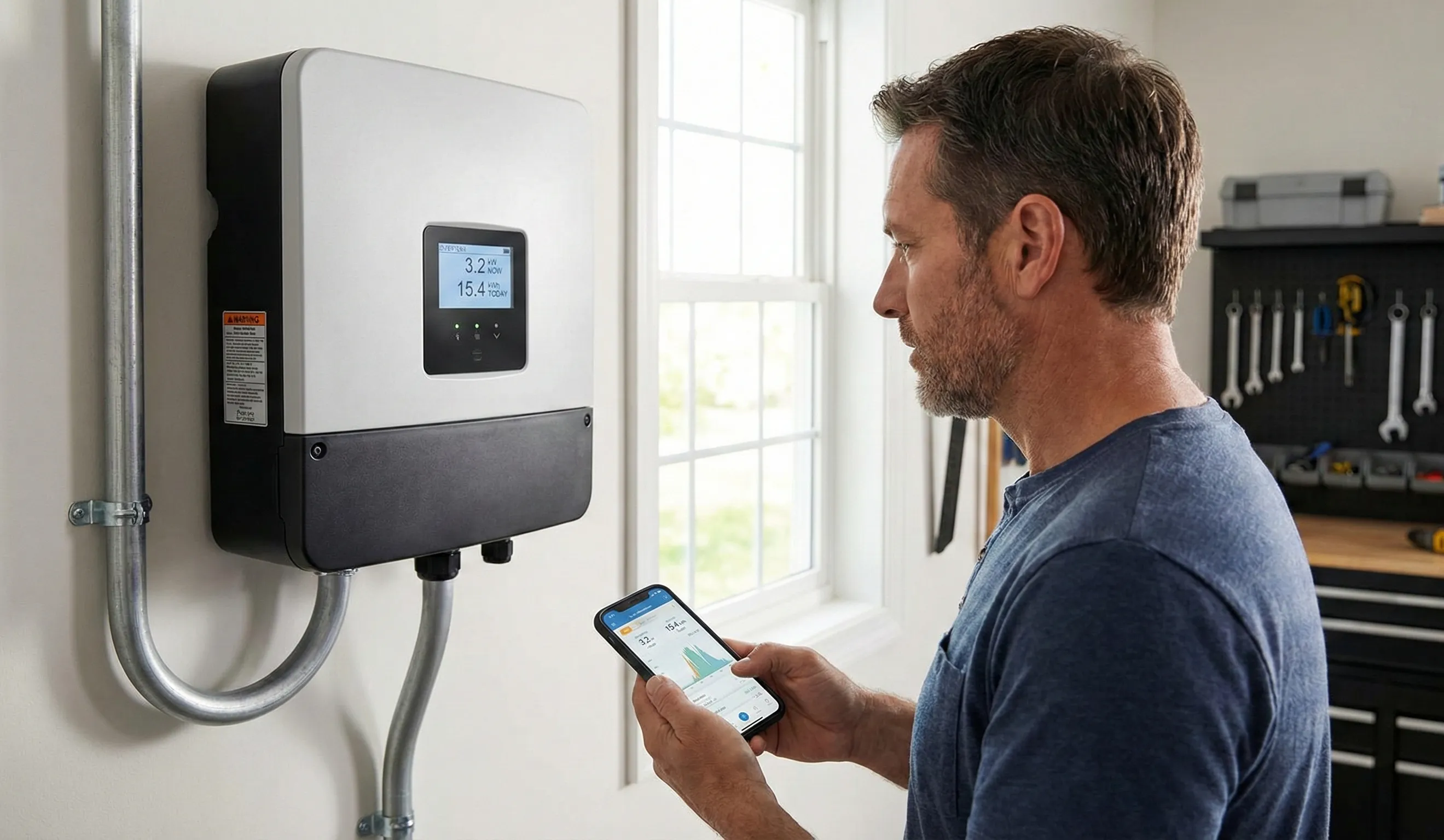
Most inverters include a built-in display that shows core performance data in real time. This is the fastest way to confirm that your system is operating correctly.
Typical information available on the screen includes:
- Current power output in kW
- Daily energy production in kWh
- Total lifetime generation since installation
- Fault codes or system alerts
Menu layouts vary by brand, but the key metrics are usually easy to access within a few button presses.
Using Your Installer or Manufacturer App
Most modern solar systems include a dedicated monitoring app or online portal. These platforms provide far more insight than the inverter’s physical screen and allow you to check system performance from anywhere.
App-based monitoring typically offers:
- Real-time production data
- Historical performance graphs
- Grid import and export tracking
- Push notifications for faults or unusual behaviour
For Upvolt systems, monitoring is handled through Skygate®, which goes beyond basic generation tracking. Skygate® shows how energy moves between your solar panels, battery, home, and the grid in real time. It also supports intelligent control, helping optimise when solar energy is stored, used, or exported.
Remote visibility means you can confirm performance at any time, but intelligent monitoring means the system can also respond automatically without constant oversight.
Why Interfaces Look Different Across Systems
Monitoring platforms differ depending on the inverter brand, system design, and installer configuration. String inverters, microinverters, and hybrid systems each present data in slightly different ways.
Some systems provide basic generation figures only. Others display full energy flow diagrams, including grid import, export, battery status, and household consumption.
The Three Numbers Every Beginner Must Know
Most inverter screens are filled with data, but almost everything comes back to three numbers. If you understand kW, kWh, and time of day, you understand your system.
These numbers tell you how much power you are producing, how much energy you have generated, and when that energy is most valuable.
What kW Means (Real-Time Power)
kW, or kilowatts, shows how much power your solar system is producing right now.
Think of it as speed. It tells you the current rate of generation at this exact moment.
If your system shows 3 kW, it is producing 3 kilowatts of electricity right now. That number rises and falls throughout the day depending on sunlight, panel orientation, shading, and temperature.
| Condition | Typical kW Output |
| Bright Sunshine | Full Capacity (e.g., 4 kW) |
| Cloudy Skies | Reduced (e.g., 1 kW) |
| Night Time | 0 kW |
What kWh Means (Energy Over Time)
kWh, or kilowatt-hours, shows the total energy your solar system makes over time. It’s about the actual electricity you get, not just how much it can make. For instance, if it makes 5 kW for 2 hours, it’s made 10 kWh of energy.
This number is key to knowing how well your system is doing and how much energy it’s making.
Why Time of Day Changes What You See
The time of day affects both kW and kWh readings. When it’s sunny (usually between 10 am and 4 pm), your kW output goes up. This means your kWh production also goes up during these times.
As the day goes on and the sun gets less bright, both kW and kWh go down. Knowing this helps you understand your inverter’s data better.
By learning about kW, kWh, and how the time of day changes these, you’ll get a better idea of how your solar panel system is doing.
How to Read Real-Time Generation (kW)
Real-time generation tells you what your solar system is doing at this exact moment. The kW figure on your inverter is your live performance meter.
If your system is rated at 4 kW and you see 3.8 kW on a clear midday, that is strong performance. If you see 0.5 kW at the same time on a bright day, something may be limiting output.
kW answers one simple question: Is my system producing what it should right now?
What a Typical Sunny-Day Curve Looks Like
On a clear day, solar production follows a smooth bell-shaped curve.
Output:
- Starts low in the morning
- Rises steadily toward midday
- Peaks when the sun is highest
- Gradually declines into the evening
A healthy system should show a clean, predictable arc. The peak may not always reach the system’s full rated size due to temperature losses, but the overall shape should be smooth.
If your graph looks jagged or unusually flat during bright conditions, that may indicate shading, inverter issues, or panel faults.
Why Clouds Create Sharp Swings
Cloud cover causes rapid changes in output. When clouds pass over, generation can drop sharply and then recover seconds later.
These fluctuations are normal. In fact, they show your inverter is responding correctly to changing light levels.
Short dips followed by quick recovery are weather-related. Prolonged low output during bright conditions is not.
Normal vs Unusual Patterns
Solar generation follows predictable patterns throughout the day. The table below shows what typical inverter behaviour looks like, and what may indicate a problem that needs attention.
| Pattern | Description | What It Means |
| Smooth Curve | Power output rises through the morning, peaks around midday, then gradually declines | Normal operation on a clear day |
| Short Fluctuations | Brief dips in output during passing cloud cover | Normal response to changing sunlight |
| Sudden Drop to Zero | Generation stops during daylight hours | Possible inverter, grid, or system fault |
| Extended Low Output | Consistently weak performance on bright days | Potential shading, wiring, or equipment issue |
Understanding these patterns makes it easier to tell the difference between normal weather-related variation and a genuine technical issue.
How to Read Daily, Monthly, and Annual Output (kWh)
While kW shows live performance, kWh shows accumulated energy. This is the number that affects your savings.
kWh tells you how much usable electricity your system has actually produced.
Understanding Your Daily Figure
Your daily kWh figure shows how much energy your system generated in the last 24 hours.
On a clear summer day, production may be two or three times higher than on a cloudy winter day. That variation is normal.
Daily output helps you:
- Confirm the system performed as expected
- Compare performance across similar weather days
- Spot sudden drops that suggest issues
A sharp drop compared to similar weather days is worth investigating.
Why Output Changes Across the Year
Seasonal variation is significant in the UK.
Summer:
- Longer daylight hours
- Higher sun angle
- Greater total kWh production
Winter:
- Shorter days
- Lower sun angle
- Reduced total output
This does not mean your system is underperforming. It reflects solar physics, not system failure.
Why Annual Output Matters Most
Annual production is the true performance metric.
Daily numbers fluctuate. Monthly numbers vary. Annual output smooths out weather noise and shows whether your system is meeting its design expectations.
Your annual kWh determines:
- Total bill savings
- Export income
- Battery charging potential
- Return on investment
If annual production aligns with your installer’s forecast, your system is performing correctly.
Stay Connected with Upvolt
Get the latest updates on energy innovations, smart solutions, and exclusive offers.
Import, Export, and Self-Consumption (Simply Explained)
Once your system is running, three numbers tell you almost everything about how well it’s working: import, export, and self-consumption.
These figures reveal whether your solar is saving you money, or simply generating electricity that leaves your home.
What “Export” Really Means
Export happens when your solar panels produce more electricity than your home is using at that moment. The surplus flows back to the grid.
Your inverter records this exported energy in kWh.
Export is not “bad,” but it is usually lower value than using the energy yourself. Under schemes like the Smart Export Guarantee (SEG), you are paid for exported electricity. However, SEG rates are typically lower than the price you pay to import electricity later.
High export often means:
- Your system is producing well
- Your home is not using much energy during the day
- There may be an opportunity to increase self-consumption
What “Import” Means for Your Bills
Import is the electricity you buy from the grid.
It occurs when:
- Solar production is low
- Household demand is high
- It is evening or night
Import is measured in kWh and appears on your electricity bill.
The more you reduce import during peak-rate hours, the more you save. This is where batteries and smart scheduling become powerful tools.
What Self-Consumption Actually Tells You
Self-consumption is the percentage of solar energy you use directly in your home instead of exporting.
It is one of the most important performance indicators because:
- Higher self-consumption usually means lower electricity bills
- It increases the value of your solar generation
- It reduces reliance on grid imports
Without a battery, many UK homes self-consume only 50% of their solar production. With storage or smart load shifting, that figure can increase to over 70%.
Running appliances during daylight hours, charging EVs from solar, or storing excess energy in a battery are all ways to improve self-consumption.
Why These Three Numbers Matter Together
- Export shows how much surplus you create.
- Import shows how much you still rely on the grid.
- Self-consumption shows how efficiently you use your own generation.
When you understand all three, you move from simply “having solar” to actively managing your energy economics.
Reading Your Inverter Graphs Step by Step
Your inverter graphs tell a story about how your system is performing, how the weather affects it, and whether something needs attention.
Once you know what to look for, you can tell in seconds whether your solar is operating normally or underperforming.
Step 1: Understand the Shape of a Healthy Day
A normal sunny-day graph should look like a smooth curve.
- Production rises steadily in the morning
- Peaks around midday
- Falls gradually in the afternoon
This smooth “bell shape” shows that panels are receiving consistent sunlight and the inverter is operating correctly.
If your graph looks smooth and symmetrical on clear days, your system is behaving as expected.
Step 2: Recognise Weather vs System Issues
Cloud cover creates visible dips in production. These dips usually appear as short, irregular drops before output quickly recovers.
That pattern is normal.
What is not normal:
- A flat line at zero during daylight
- A sharp drop that does not recover
- A consistently lower peak than usual on sunny days
Weather causes temporary fluctuation. Hardware issues tend to create sustained underperformance.
Step 3: Compare Days, Not Just Hours
One graph tells you what happened today. A week of graphs tells you whether something has changed.
Look for:
- Similar peak levels on clear days
- Consistent curve shapes across sunny days
- Gradual seasonal shifts rather than sudden drops
If sunny days consistently peak at similar levels, your system is stable. If peak output suddenly falls on clear days, that suggests shading, inverter issues, or panel faults.
Step 4: Focus on Patterns, Not Single Moments
Solar performance always fluctuates. What matters is pattern consistency over time.
Healthy system:
- Predictable daily curve
- Higher peaks in summer
- Lower peaks in winter
- Weather-driven variation
Potential issue:
- Output consistently below expected levels
- Repeated daily drops at the same time
- Zero production despite clear skies
When you understand your inverter graphs, you stop guessing. You gain the ability to tell the difference between normal behaviour and genuine underperformance.
That is the point of monitoring.
What Your Inverter Tells You About Home Usage
Your inverter reveals how your home behaves. When you understand your usage patterns, you can reduce imports, increase self-consumption, and make smarter decisions about when to run appliances.
When You Actually Use the Most Electricity
Most homes follow a predictable pattern. Usage rises sharply when people are active and falls when the house is quiet.
| Time of Day | Typical Usage | What Is Happening |
| Morning (7–9am) | Moderate | Kettle, shower, breakfast appliances |
| Daytime (9am–5pm) | Low to Moderate | Background loads, fridge, devices |
| Evening (5–8pm) | High | Cooking, lighting, TV, heating systems |
| Night (8pm–7am) | Low | Standby loads, refrigeration |
The evening peak is usually the most expensive time to use grid electricity. That is also when solar production is falling. This gap is what drives the value of battery storage.
When you look at your inverter data, you can see exactly when these spikes happen.
Why Daytime Usage Is So Important
Solar panels generate most power between late morning and mid-afternoon. If your home uses electricity during that window, you consume your own solar energy instead of exporting it cheaply.
Higher daytime usage means:
- Greater self-consumption
- Lower grid imports
- Better financial return
Running appliances like washing machines, dishwashers, or EV chargers during solar hours directly increases savings.
If daytime usage is low and evening usage is high, a battery can shift that solar energy into the evening peak.
What Your Inverter Shows vs What Your Smart Meter Shows
Your inverter and smart meter measure different things.
Your inverter shows:
- Solar generation
- Real-time production
- Self-consumption within the solar system
Your smart meter shows:
- Total electricity imported from the grid
- Total electricity exported
- Billable energy
The inverter explains how your system performs. The smart meter explains what you pay for.
When you combine both, you see the full picture: how much you generate, how much you use, how much you export, and how much you still import.
That clarity is what turns solar from a passive system into an active financial tool.
Basic Warning Signs to Watch For
Your inverter data should look predictable over time. When something changes sharply without a clear reason, it is worth investigating.
Watch for these warning signs:
- Sudden drop in daily output
- Zero output during daylight
- Repeated error messages
- Output that never reaches expected levels
Contact your installer if:
- The system shows zero generation in daylight
- Daily production drops significantly without weather explanation
- The inverter displays persistent fault codes
- You are unsure whether performance is normal
Early action protects your long-term savings. Most inverter issues are easier and cheaper to fix when caught quickly rather than after months of unnoticed underperformance.
Speak to Upvolt About Making Your Solar Data Easier to Understand
Understanding your inverter data is the first step. Making it work harder for you is the next.
Upvolt helps homeowners turn solar data into clear, practical decisions that reduce grid reliance and improve long-term savings. With intelligent monitoring through Skygate®, your system is designed to respond automatically to generation, demand, and tariff changes.
If you want clearer insight and better performance from your solar system, speak to Upvolt about building a setup that works intelligently from day one.
FAQ
What is the role of a solar inverter in a solar energy system?
An inverter is a critical component in any solar PV system. It converts DC power generated by your panels into usable AC electricity for your home and the grid. It also manages safety, synchronises with the grid, and reports on the power generated. Without the inverter, your solar electricity cannot be used in a residential setting.
How can I identify potential issues with my solar power system using my inverter data?
Look for sudden drops in daily output, zero generation during daylight, repeated error codes, or performance that does not match clear weather conditions. Many systems allow you to troubleshoot basic issues through the monitoring platform before contacting your installer. Persistent faults may relate to inverter specifications, wiring, or setup errors, which is why proper installation is important for optimal performance.
What is the difference between the inverter screen and a monitoring app?
Reading your solar inverter display gives you real-time power data and basic lifetime generation figures directly from the unit. A monitoring app provides deeper insight, including historical graphs, import and export tracking, and system alerts. Apps also allow remote access and often integrate battery or tariff data. Both show system performance, but apps offer broader visibility and control.
How does the lifespan of inverters compare to that of solar panels?
In residential solar systems, panels often carry 25-year performance warranties, while inverters typically last 10 to 15 years, depending on quality and usage. Because inverters actively convert DC power every day, they experience more electronic wear than panels. A high-efficiency inverter from a reputable inverter manufacturer can extend reliability, but replacement during the system’s lifetime is common.
What are the future trends and innovations in solar inverter technology?
Modern systems are moving toward smarter, high-efficiency inverter designs that integrate battery storage, EV charging, and intelligent tariff control. Hybrid inverters now manage solar generation, storage, and grid interaction in one unit. Improved monitoring software provides clearer insight into power generated, self-consumption, and system health. Future innovation will focus on automation, grid services, and better optimisation of every unit of solar energy produced.

Alex Lomax
CEO & Co-Founder
Share article


Share article